Your statements, together.
Add CSV or XLSX files from your bank. Match the columns and review the results before adding a single transaction.
Open your workspace ↗Your statements, spending, and shared expenses—organized around how you actually use your money.

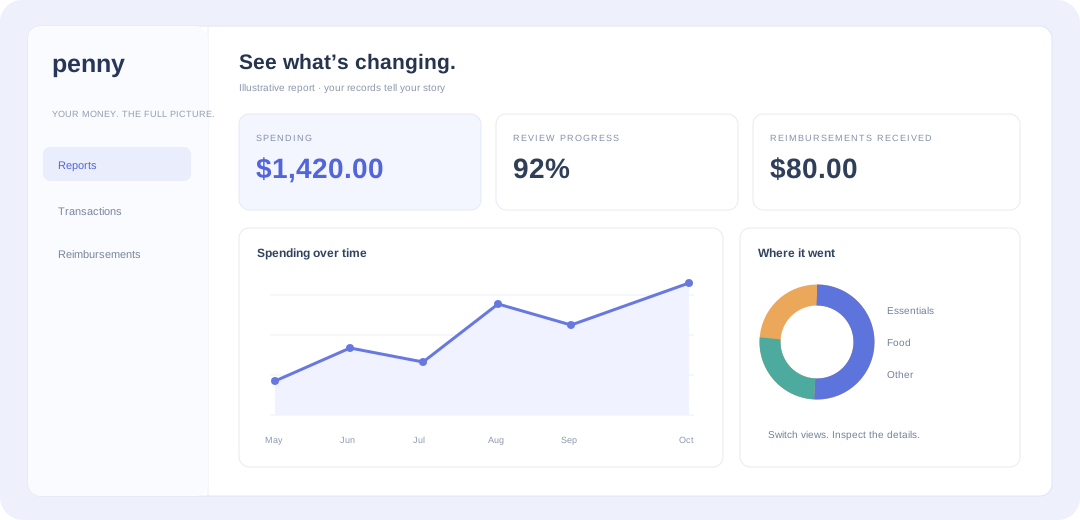
Line, bar, or pie. Weekly or monthly. Choose a view that answers your question, then inspect the transactions behind it.
Add CSV or XLSX files from your bank. Match the columns and review the results before adding a single transaction.
Open your workspace ↗Apply your categories, split a mixed purchase, and record who owes what. Saved defaults handle the familiar details.
See a split purchase ↓Follow spending over time, compare categories, and see what’s still owed to you. Keep the full picture in your app.
Explore reports ↗of U.S. adults faced a major unexpected expense in the past year.
of adults ages 18–29 received help from outside their household to pay an expense.
of U.S. adults would cover a $400 emergency expense with cash or its equivalent.
U.S. financial context · Source: Federal Reserve, 2025 Survey of Household Economics and Decisionmaking, published May 2026 ↗

You don’t need a new habit every day. Bring your records together when it works for you, tidy up what needs attention, and see how your choices add up.
A $100 Walmart trip can be groceries, gifts, or both. Decide what it means to you, without losing track of the original purchase.
Track repayments alongside the expense, so money paid out and money received stay connected.
Both categories add up to the original $100.
Your merchant rule comes first, followed by the category in your file and your fallback. Review and change the result whenever needed.
Explore transaction details ↗The same clear picture. Choose how you bring your records in.
Build your picture, one expense or a whole list at a time.
Bring your bank’s transaction files straight into your workspace.